Works with Samsung smart TVs from 2016 on
Samsung TV Remote App
Turn your phone into a Samsung TV remote. Kumi finds your Samsung on home Wi-Fi, you press Allow on the TV, and you are in. Touchpad, keyboard and apps included. No ads, no account.
Compatibility
Which Samsung TVs work?
Kumi connects to your Samsung over your home Wi-Fi, and only after you approve it on the TV. Nothing goes through our servers.
Works
- Samsung smart TVs from 2016 on (Tizen)
- QLED, Neo QLED, OLED and Crystal UHD
- The Frame and The Serif
- Phone and TV on the same Wi-Fi network
Does not work
- Samsung TVs from before 2016
- TVs that are not connected to Wi-Fi or Ethernet
- Guest networks that isolate devices
- Phones on mobile data instead of Wi-Fi
Setup
Connect your Samsung TV in three steps.
- 1
Join the same Wi-Fi
Your phone and your Samsung TV need to be on the same home network. Guest networks and VPNs can block the connection.
- 2
Pick your TV in Kumi
Open Kumi and choose your Samsung from the list. If it is not there, enter the TV’s IP address instead.
- 3
Press Allow on the TV
A prompt appears on your TV. Choose Allow and Kumi turns the volume up and back down so you see it works.
Pressed Deny by mistake? On the TV open Settings › General › External Device Manager › Device Connection Manager › Device List, remove Kumi and connect again.
Features
Everything your Samsung remote does.
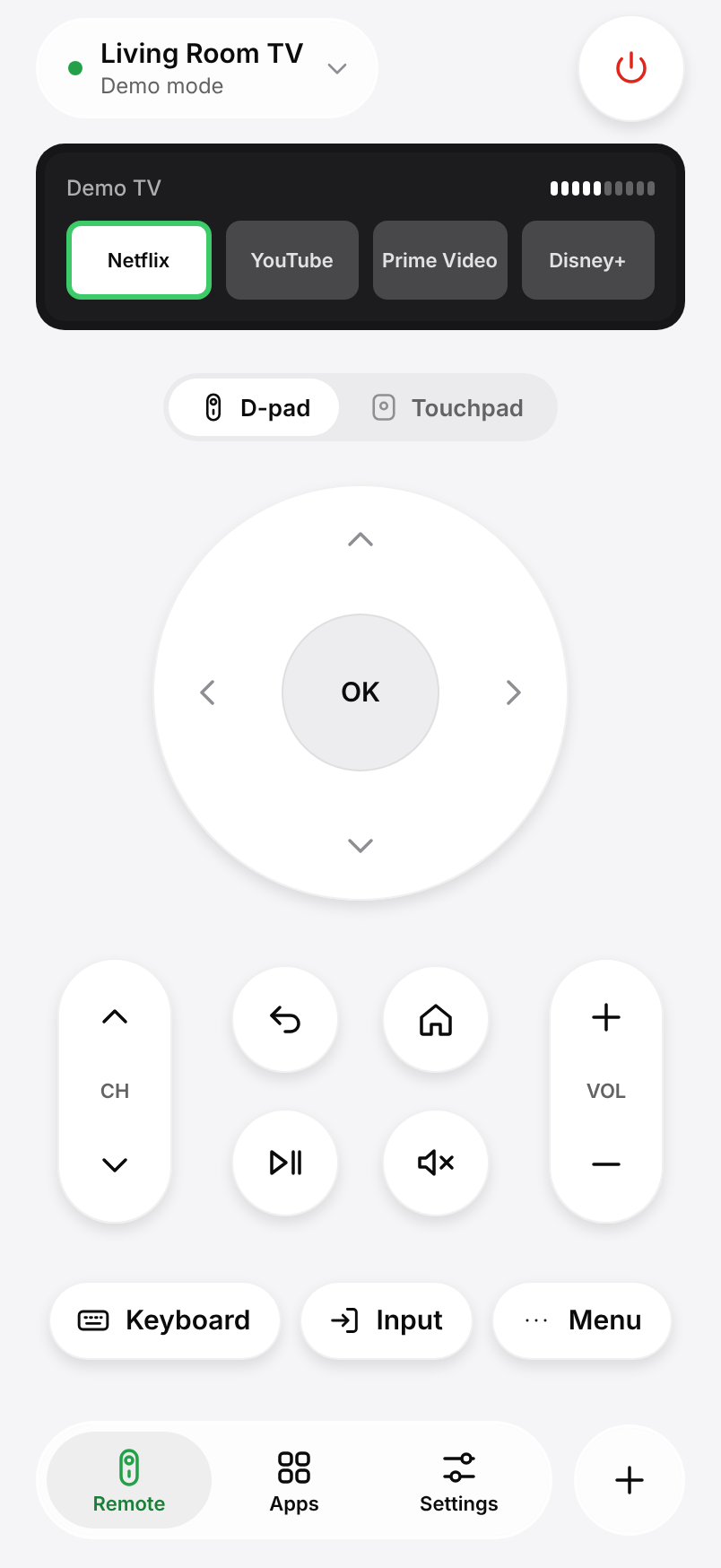
Touchpad and D-pad
Swipe through menus or use the arrow keys, OK, Back and Home.
Type and talk
Search with your phone keyboard, or just say the title.
Open apps directly
Launch Netflix, YouTube and the rest from your phone.
Help
Samsung TV not connecting?
FAQ
Samsung questions, answered.
Something else? Write to us from Settings › Help in the app.
Is Kumi made by Samsung?
No. Kumi is an independent app and is not affiliated with Samsung. It uses the local network connection that Samsung TVs offer to remote apps.
Why does my Samsung ask for permission?
Samsung TVs ask once per app. After you press Allow, Kumi saves the approval and reconnects on its own.
Can Kumi turn my Samsung TV on?
Often, yes: Kumi saves the TV’s network address and wakes it over Wi-Fi when the TV supports it. Some models switch off their network when they are off.
Is the Samsung remote free?
Yes. The remote, keyboard, touchpad and app launcher are free for one TV, with no ads. Kumi Pro adds more TVs, widgets and large keys.