Compatibility
Which TVs work?
Kumi works with four TV systems. Some brands use more than one, so check what your TV runs.
Works
- Samsung smart TVs from 2016 on
- LG TVs with webOS
- Google TV and Android TV: Sony, TCL, Hisense, Philips, Xiaomi, Vestel and more
Does not work
- Roku TVs and Roku devices (not yet)
- Fire TV (not yet)
- Vizio SmartCast (not yet)
Setup
Connect your TV in three steps.
- 1
Join the same Wi-Fi
Your phone and TV need to be on the same home network.
- 2
Pick your TV
Kumi lists the TVs it finds and tells you which brand each one is.
- 3
Approve on the TV
Press Allow on Samsung and LG, or type the code Google TV shows.
Using Roku or Fire TV? Their official remote apps are free. Kumi is for Samsung, LG and Google TV.
Features
Everything your remote does.
Touchpad and D-pad
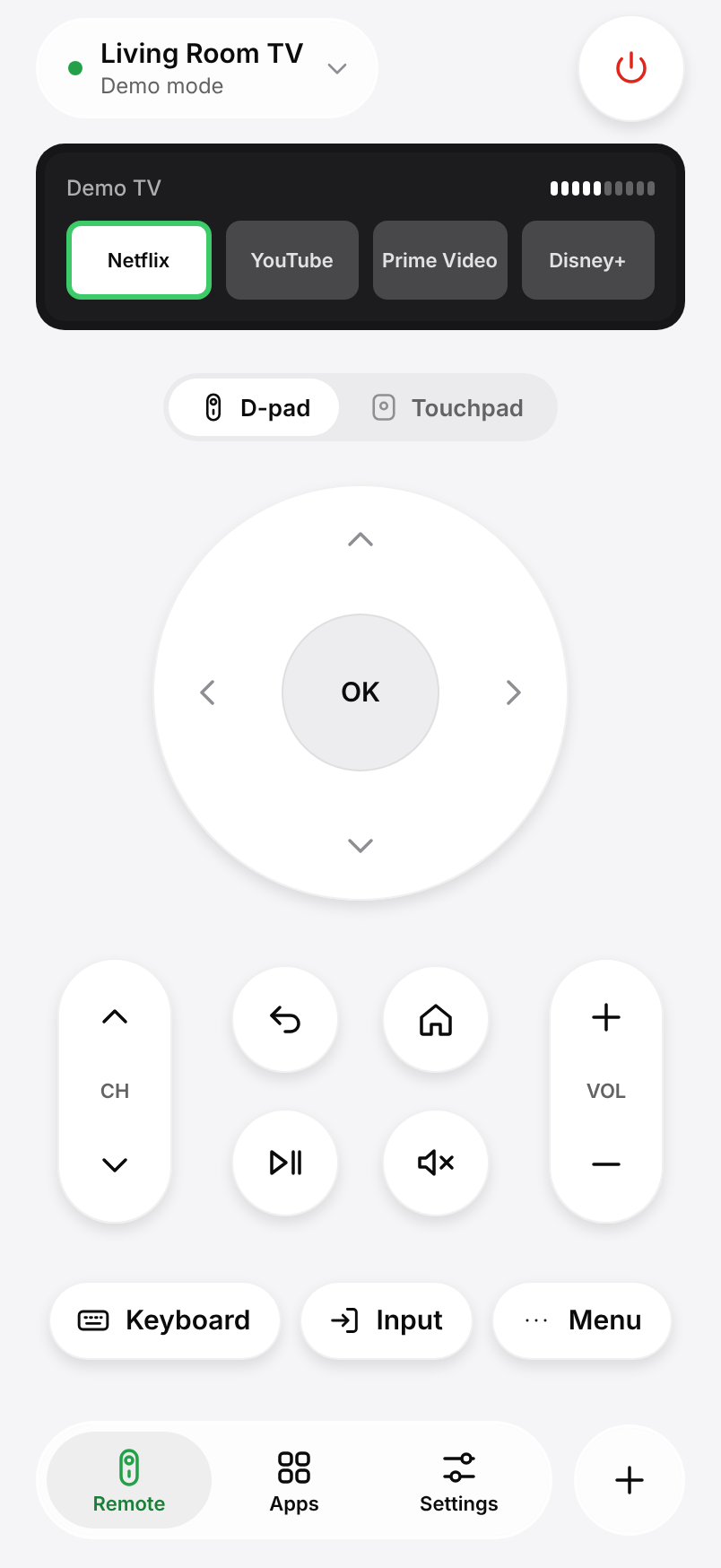
Swipe through menus or use the arrow keys, OK, Back and Home.
Type and talk
Search with your phone keyboard, or just say the title.
Open apps directly
Launch Netflix, YouTube and the rest from your phone.
FAQ
Questions, answered.
Something else? Write to us from Settings › Help in the app.
Is Kumi a universal remote?
It works with Samsung, LG, Google TV and Android TV, the systems on most smart TVs. It does not control Roku, Fire TV or infrared-only TVs.
Does Kumi need an account?
No. There is no sign-up and no ads.